Invoice maker for iPhone

Send it. Get paid.

Make a professional invoice in under a minute. Send it by email, text or link, and your client pays by card, Apple Pay, bank or PayPal. They don’t need the app.

Then from $6.99 a month. Cancel anytime.

Clients can pay by Apple Pay, card, bank transfer, PayPal, Venmo or Tap to Pay on iPhone. BillSend includes estimates, deposits, recurring invoices, receipts, reports and signatures.

How it works

Three taps
to paid.

  1. 01

    Make it

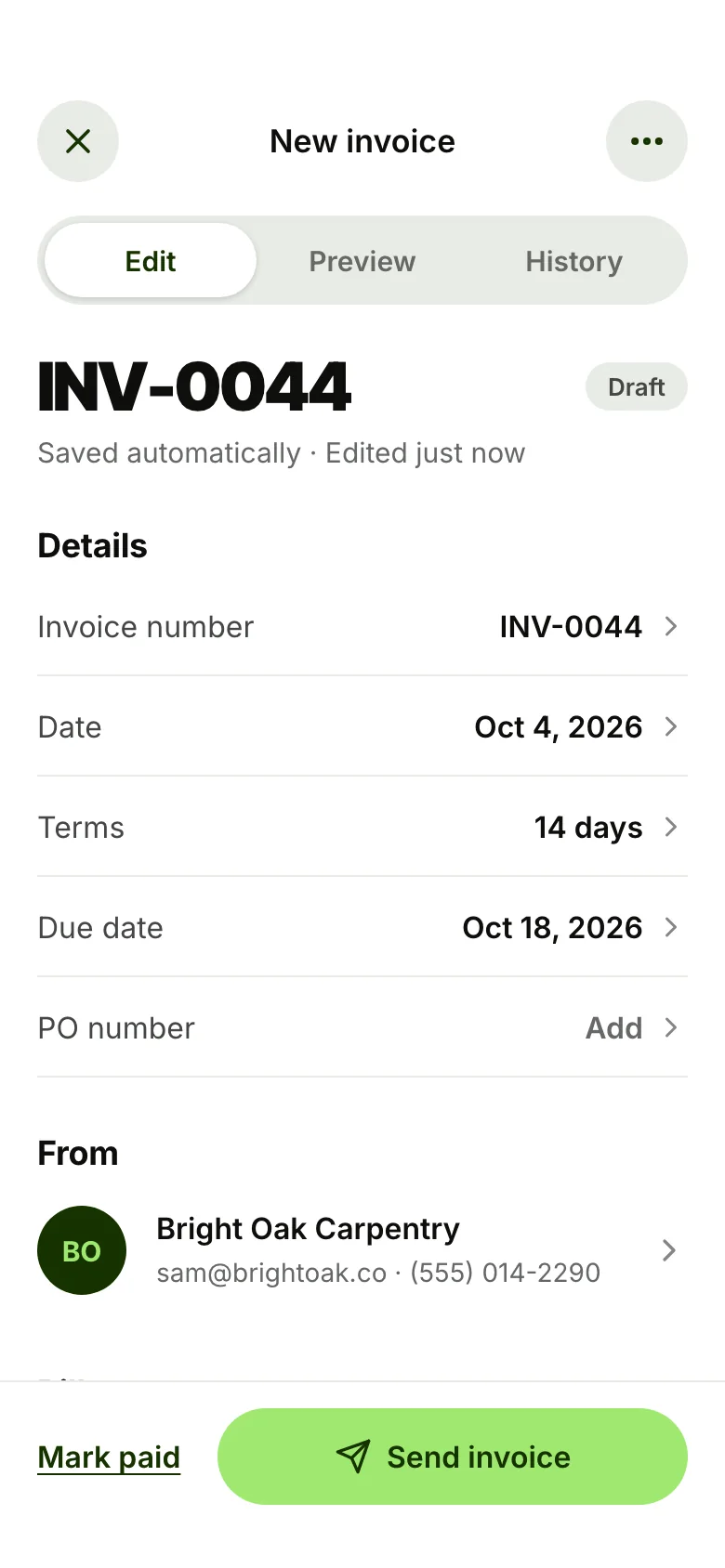
    Pick a client, tap in your items, and BillSend does the maths: discounts, sales tax, deposits and the balance due. Add photos, notes and your signature.

    The BillSend invoice editor showing INV-0044 for Harbor Coffee Co.
  2. 02

    Send it

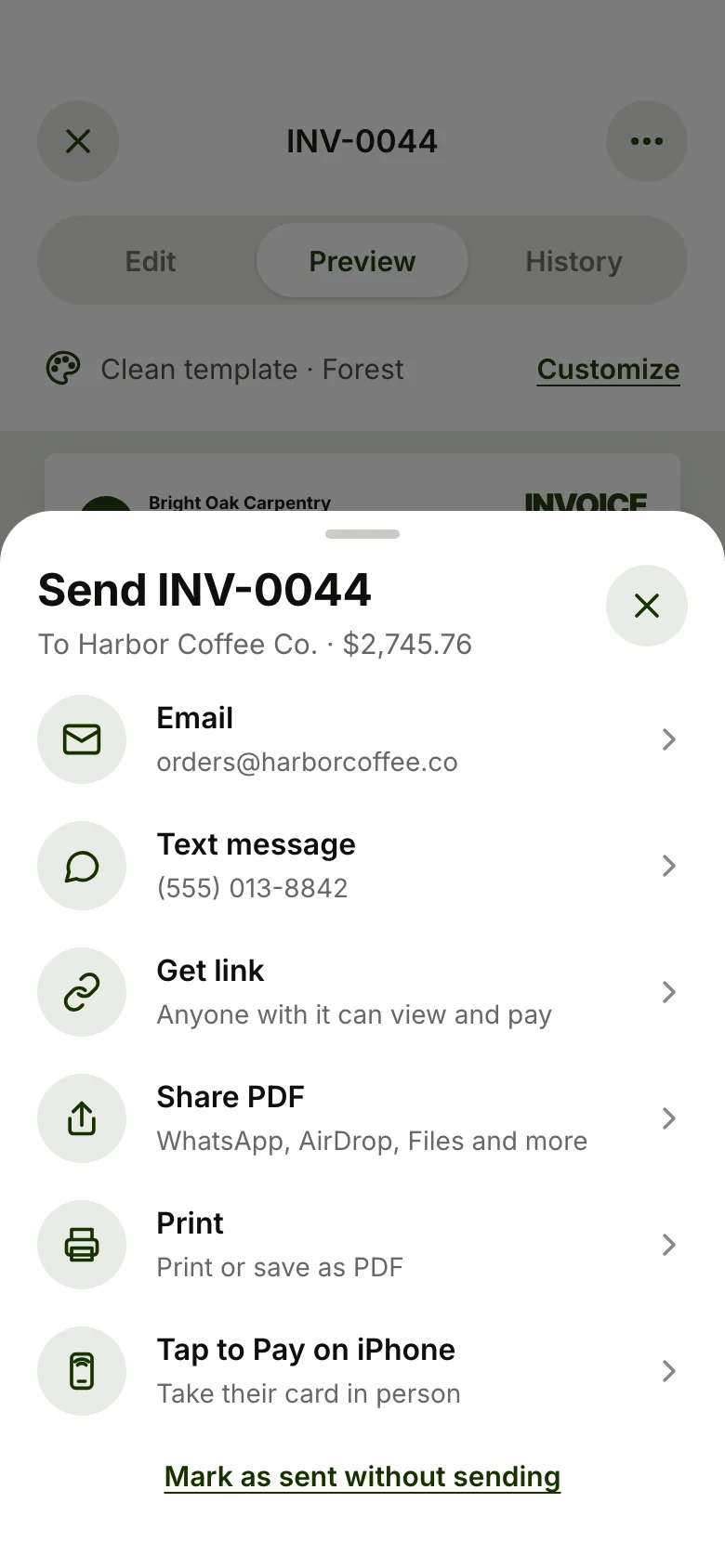
    Email, text, a link or a PDF with a Pay now button and a QR code. You’ll know the moment your client opens it.

    Send options: email, text message, link, PDF, print and Tap to Pay on iPhone
  3. 03

    Get paid

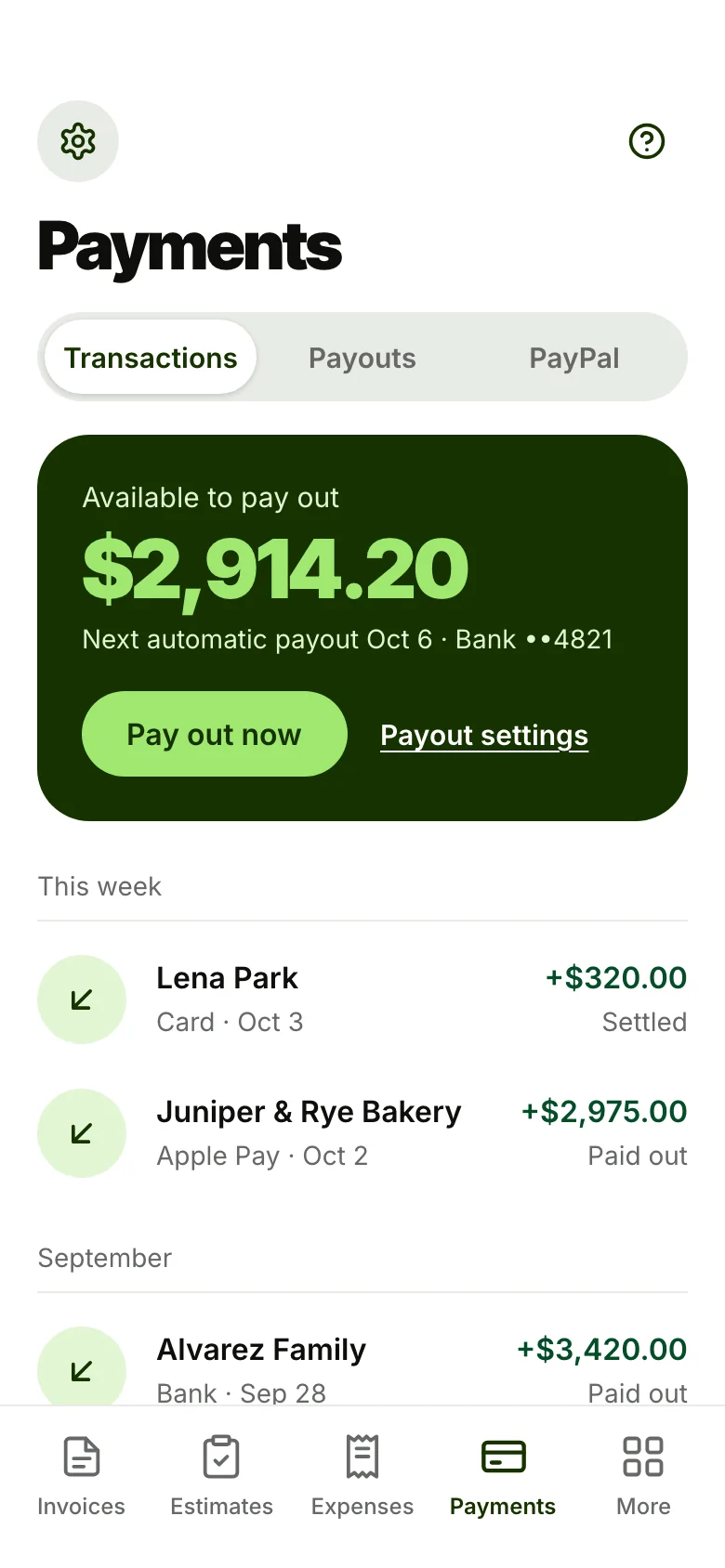
    Your client pays by card, Apple Pay, bank transfer, PayPal or Venmo. The invoice marks itself paid and the money heads to your bank.

    The Payments tab with $2,914.20 available to pay out

The launch film

Make it. Send it.
Get paid.

Twenty seconds, sound on: an invoice goes from first tap to paid, with the client paying from the email.

Professional by default

Looks pro.
Does the maths.

Every total, tax line and due date is worked out as you type. Your logo, colours and signature go on every invoice.

  • Discounts and sales tax on any line
  • Deposits and payment schedules
  • Due dates from your payment terms
  • Photos, notes and your signature
BO
Bright Oak Carpentry214 Mill St, Austin, TX 78704
InvoiceINV-0044
Bill toHarbor Coffee Co.
DueOct 18, 2026
Walnut bar counter1 × $1,650.00$1,650.00
Labor12 h × $65.00$780.00
Floating shelves3 × $80.00$240.00
Subtotal$2,670.00
Discount 5%−$133.50
Sales tax 8.25%$209.26
Total$2,745.76
Pay $2,745.76 Card · Apple Pay · Bank · PayPal

Features

All the tools.
None of the paperwork.

Estimates that turn into invoices

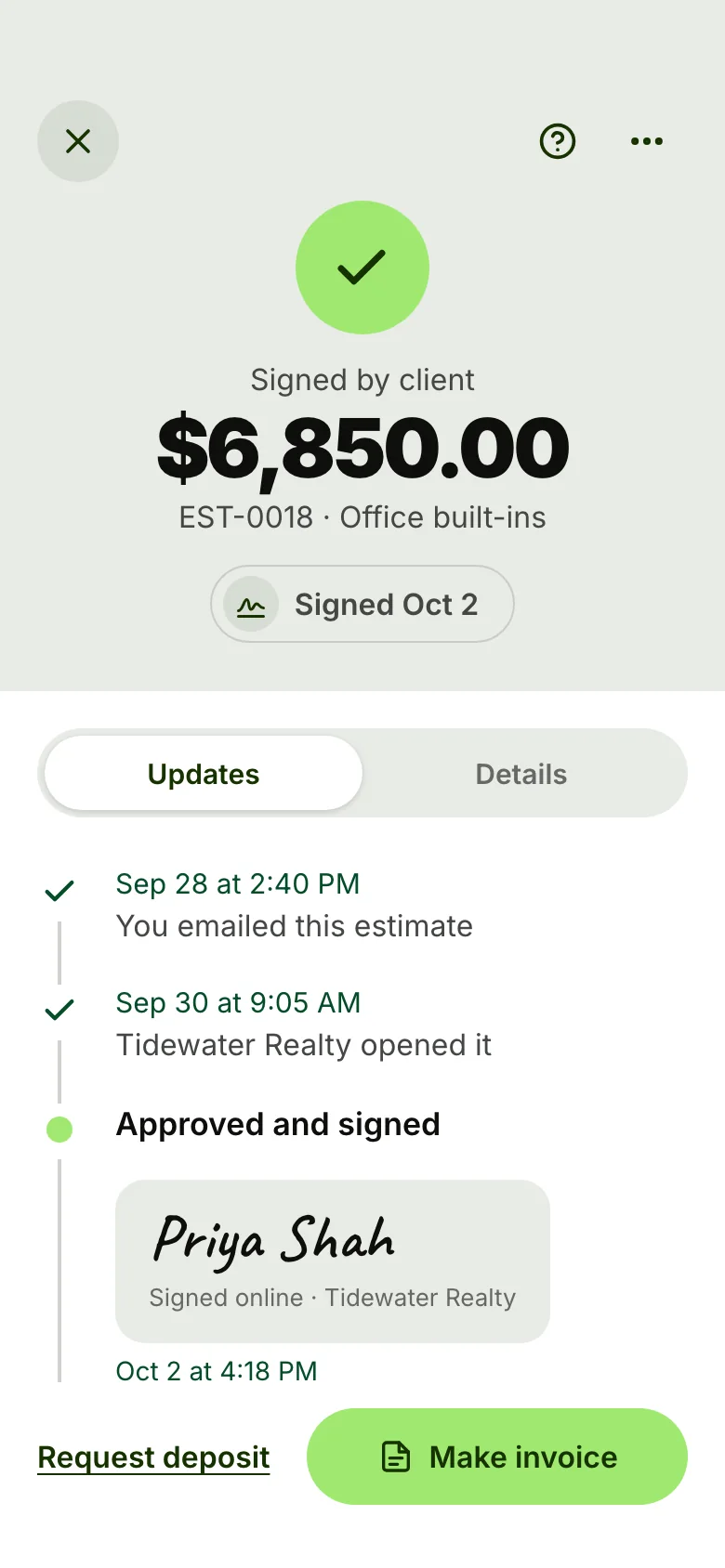
Send a quote, get it signed on your client’s phone, and turn it into an invoice with one tap.

A signed estimate: EST-0018 for $6,850.00, signed by Tidewater Realty

Take every way they pay

Clients pay straight from the invoice. The money lands in your bank.

  • Apple Pay
  • Card
  • Bank transfer
  • PayPal
  • Venmo
A customer taps a card on the back of an iPhone at a cafe counter

Tap to Pay on iPhone

Take a card in person. No reader needed.

Deposits and payment plans

Ask for a deposit up front and schedule the rest.

Deposit 30%$823.73
of $2,745.76Balance due Oct 18

Recurring invoices

Bill regulars on a schedule, send automatically or charge the card on file.

  • Weekly
  • Bi-weekly
  • Monthly
  • Quarterly
  • Yearly

Know when it’s opened

Every invoice keeps a history, so you know exactly where it stands.

  1. Sent by emailToday at 9:20 AM
  2. DeliveredToday at 9:21 AM
  3. Harbor Coffee Co. opened your invoiceToday at 11:02 AM
  4. Paid $2,745.76 by Apple PayMarked paid automatically

Templates in your colours

Pick a layout, add your logo, choose a colour. Every PDF matches your brand.

  • Forest
  • Spruce
  • Blue
  • Red
  • Charcoal

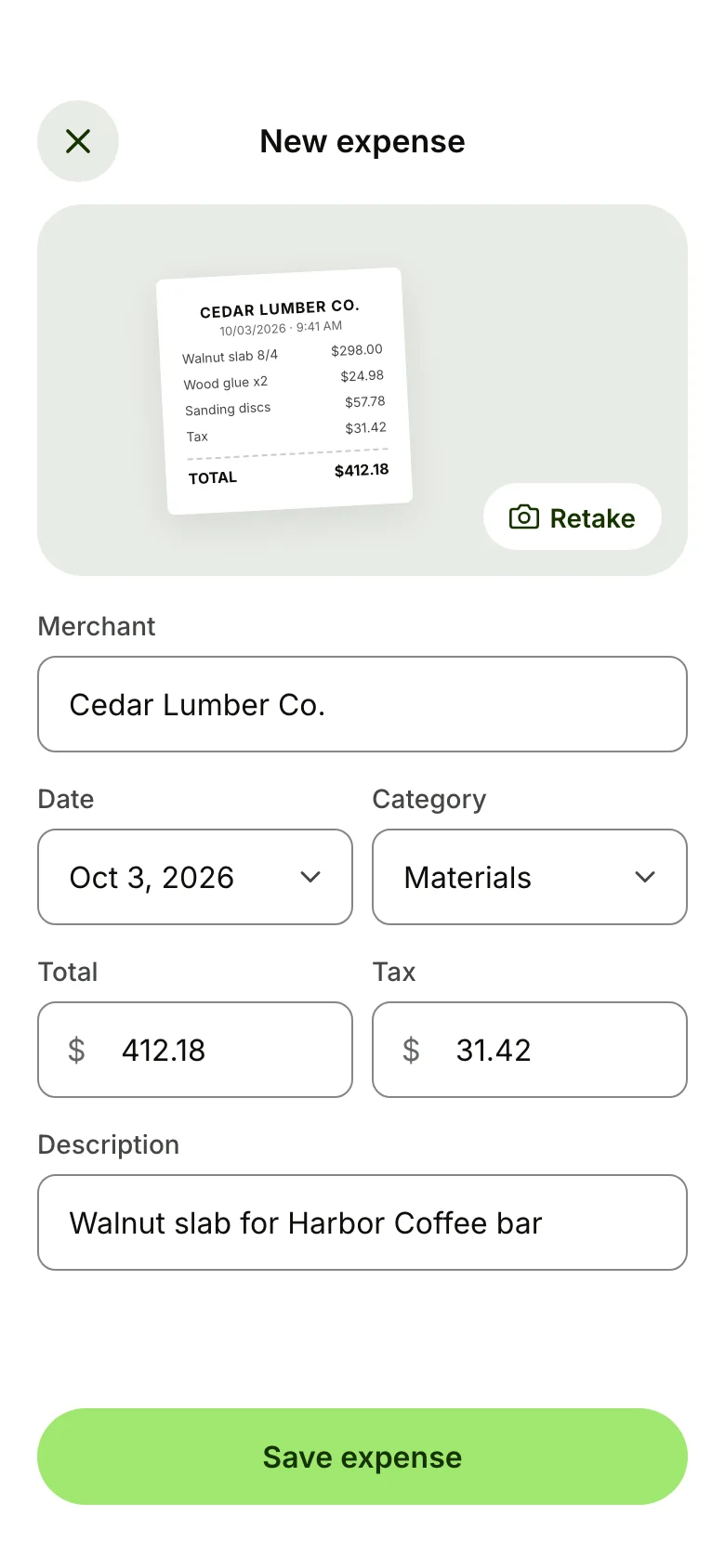
Receipts and expenses

Snap a receipt and file the expense in seconds.

A new expense from a photographed Cedar Lumber Co. receipt for $412.18

Reports by tax year

Paid in 2026

$86,420

31 clients · 98 invoices · ready for your accountant

Send it any way

  • Email
  • Text message
  • A link
  • PDF with QR code
  • Print

For your clients

Your clients don’t
need the app.

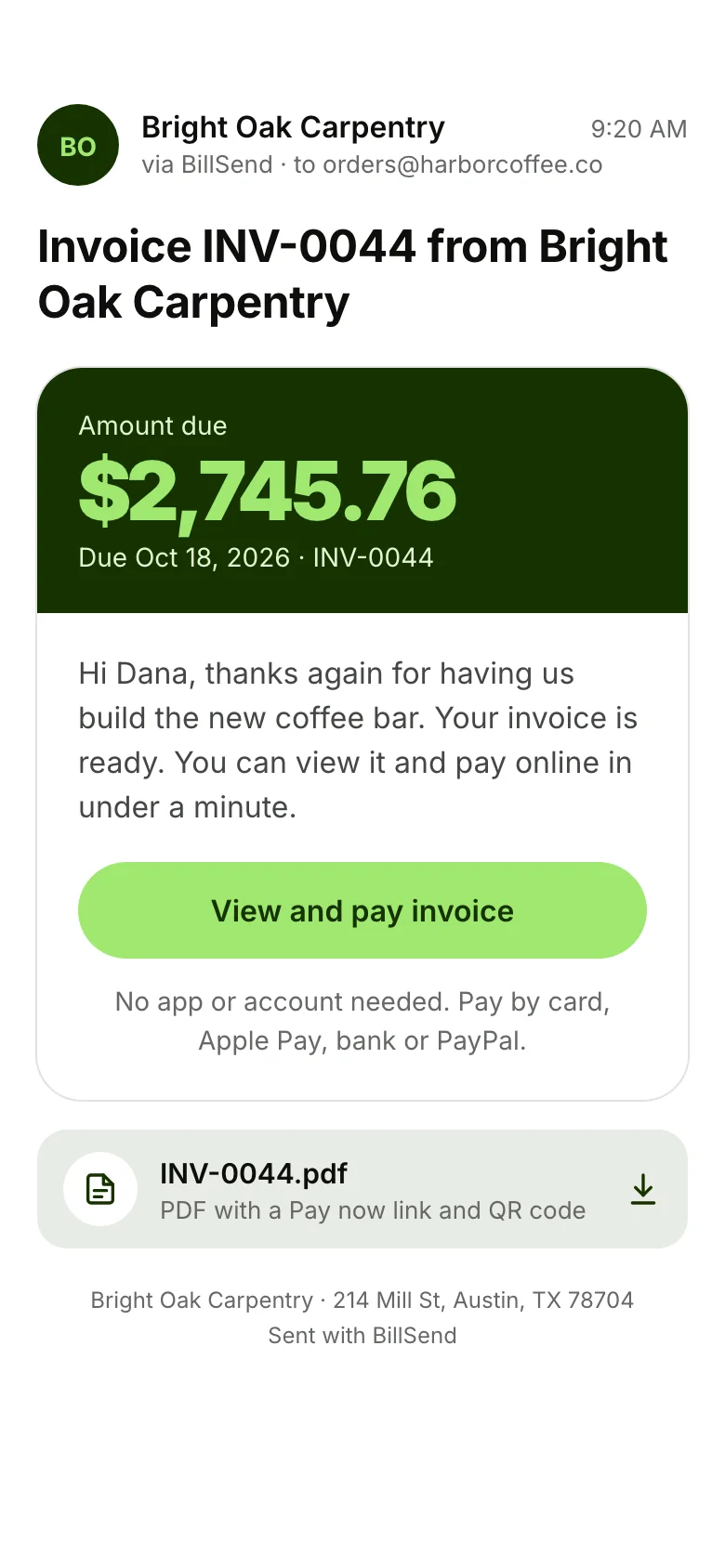
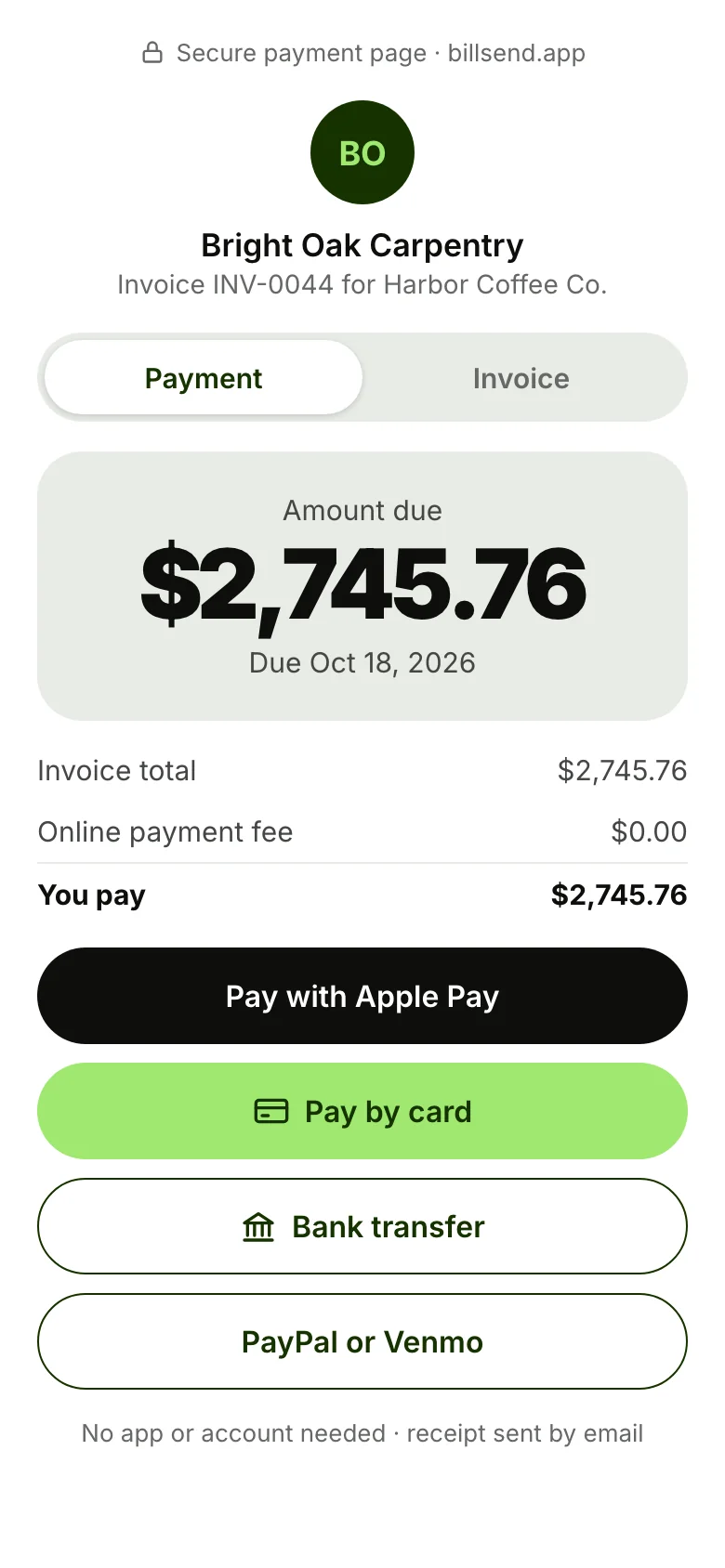
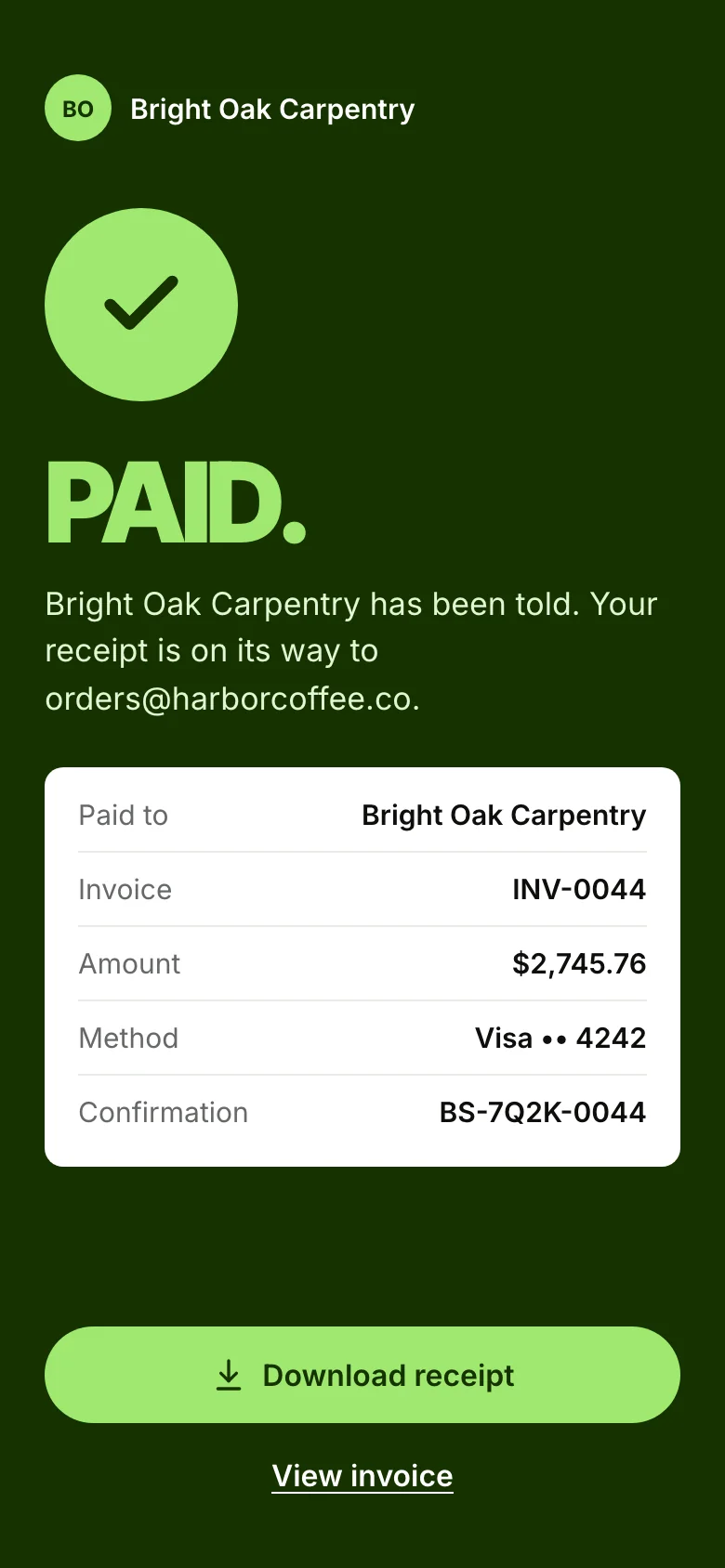
Every invoice comes with a secure payment page. They open the link, pay their way and get a receipt. You get a notification.

  1. The client’s email: invoice INV-0044 from Bright Oak Carpentry, $2,745.76 due

    1They open your email or text

  2. The checkout page with Apple Pay, card, bank transfer and PayPal or Venmo

    2They pay with Apple Pay, card, bank or PayPal

  3. Payment confirmed: PAID, with the receipt details

    3Done. A receipt goes to both of you

Who it’s for

Made for people
who do the work.

  • A carpenter finishing a walnut counterCarpenters
  • An electrician hanging a pendant lightElectricians
  • A gardener checking a phone among new flower bedsGardeners
  • A photographer smiling at a phone in a studioPhotographers
  • The owner of a cleaning business in a bright living roomCleaners
  • A cafe owner smiling at a phone behind the counterCafés and shops

Pricing

Pick your plan.

Try Premium free for 14 days. Cancel anytime. Pay yearly and get 2 months free.

Essentials

$6.99/month

or $69.99 a year

  • 3 invoices a month
  • Unlimited estimates
  • Online payments
  • Read receipts
  • Expenses
Start free trial

Popular

Plus

$14.99/month

or $149.99 a year

  • 10 invoices a month
  • Photos and your signature
  • Due-date reminders
  • Reports
Start free trial

Premium

$21.99/month

or $219.99 a year

  • Unlimited invoices
  • Client signatures
  • Deposits
  • Premium templates
  • Version history
Start free trial

FAQ

Good
questions.

Do my clients need to download anything?

No. They open your email, text, link or PDF and pay on a secure web page. No app and no account.

How can my clients pay?

By card, Apple Pay, bank transfer (ACH), PayPal or Venmo. In person, you can take a card with Tap to Pay on iPhone, and you can record cash and check payments yourself.

Who pays the card processing fees?

You choose. Absorb the fees, add a surcharge for the client, or spread them across your item prices.

Can I ask for a deposit?

Yes. Request a deposit up front, like 30%, and schedule the remaining payments. Deposits are part of Premium.

Can I send estimates too?

Every plan includes unlimited estimates. Clients can sign them on their phone, and you can turn a signed estimate into an invoice in one tap.

What happens after the free trial?

Pick Essentials, Plus or Premium, monthly or yearly with 2 months free. You can cancel anytime from your App Store subscriptions.

Your next invoice takes a minute.

Download BillSend for iPhone and send your first invoice today.

Free for 14 days, then from $6.99 a month.

Get the appFree for 14 days